The Best Beginner Printer Is The One You Will Actually Use
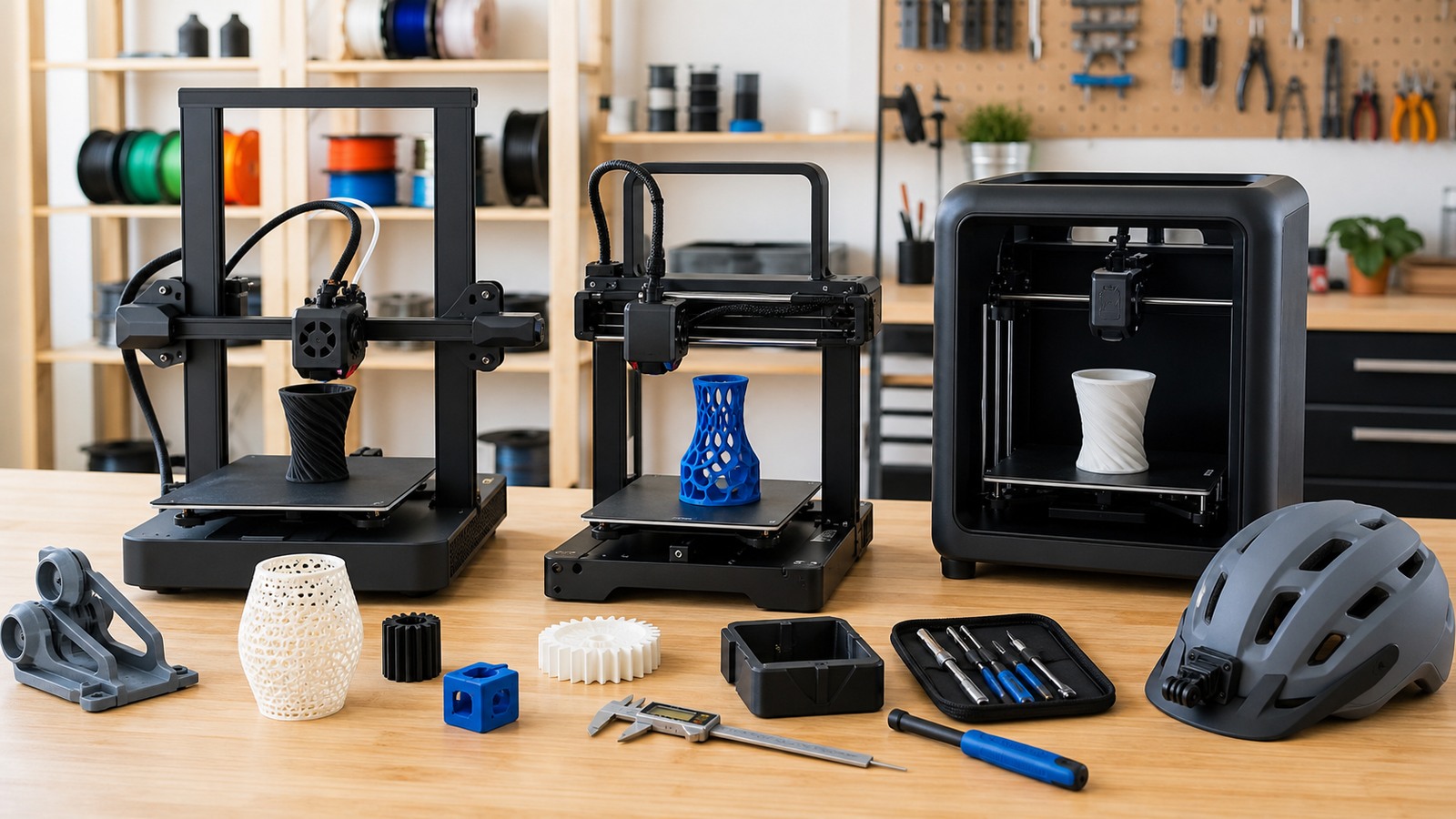
A beginner 3D printer should make learning feel possible instead of turning every project into machine repair. In 2026, makers have more choices than ever, but the best first printer is still defined by reliability, clear setup, safe operation, accessible materials, useful build volume, straightforward software, and a support path when prints fail. The right machine should help you learn design, slicing, troubleshooting, and finishing without hiding the basic process from you completely.
A: Most makers should start with an FDM printer because materials are affordable, workflows are visible, and practical parts are easy to test.
A: Resin is better for fine detail, but it requires stricter ventilation, gloves, washing, curing, and waste handling.
A: Choose enough space for your likely projects, but avoid paying for a huge bed if most parts are brackets, jigs, and enclosures.
A: It is helpful, but it does not replace a stable frame, clean build plate, and understanding first-layer behavior.
A: PLA is usually the best first filament because it is forgiving, widely supported, and useful for many prototypes.
A: Speed is useful only when quality, cooling, reliability, and maintenance can keep up.
A: Enclosures can help with heat control and access, but ventilation and material choice still matter.
A: Very important, because beginner printing improves faster when common problems are easy to search and compare.
A: Print enough to understand the real limitation before buying upgrades.
A: A good beginner printer stays reliable, repairable, understandable, and useful after the first month of learning.
Start With The Kind Of Making You Want To Do
A printer for tabletop miniatures, shop jigs, drone parts, cosplay pieces, electronics enclosures, household repairs, and product prototypes will not be judged the same way. Before comparing machines, write down what you expect to print most often. That list will tell you whether detail, strength, speed, bed size, material range, quiet operation, or easy maintenance matters most.
Most general makers are best served by a dependable FDM printer first. It teaches the visible fundamentals of layer height, bed adhesion, support, infill, material behavior, and post-processing. Resin can come later if small detail becomes the clear priority.
Reliability Beats Maximum Speed
Speed is tempting in 2026 because many printers advertise very fast motion. For beginners, a reliable first layer, stable frame, good cooling, clear filament path, and repeatable calibration are more valuable than headline speed. A printer that finishes ordinary parts consistently will teach you more than one that creates impressive test prints and then becomes temperamental.
Fast printing also asks more from the whole system. Filament quality, drying, acceleration, belt tension, slicer profiles, and cooling all matter more as speeds climb. Beginners can learn those details over time, but they should not need to fight all of them during the first week.
Choose A Sensible Build Volume
Build volume should match real projects, not fantasy projects. A larger bed can print helmets, long brackets, and larger fixtures, but it also takes more space, can be harder to heat evenly, and may cost more. Many useful maker parts are small: tool holders, cable clips, knobs, adapters, drill guides, brackets, and test pieces.
If a large project happens occasionally, splitting parts and joining them may be more practical than owning an oversized printer. The right printer should fit your workspace and your likely workflow.
Think Through Materials Early
PLA is the friendliest first material because it prints easily, smells less intense than many alternatives, and works for prototypes, organizers, models, and light-duty fixtures. PETG adds toughness and temperature resistance but can string and require tuning. TPU, ABS, ASA, nylon, and filled materials introduce new needs such as enclosure control, ventilation, abrasion-resistant nozzles, or drying.
Buy a printer for the materials you realistically plan to use in the first year. Material ambition can grow after the machine feels familiar.
Do Not Ignore Safety And Placement
A 3D printer is still a machine with heat, moving parts, electronics, fumes or particles depending on material, and long unattended-looking jobs. Place it on a stable surface away from clutter, fabric, curious hands, and poor ventilation. Keep filament dry and cords tidy. If children or pets share the space, access control matters.
For resin printers, the placement decision is even more serious. Resin handling needs gloves, eye protection, ventilation, wash stations, curing, and controlled waste. The printer is only one part of the system.
Software Should Help You Learn
Good slicer profiles are helpful, but beginners should still learn what layer height, wall count, infill, supports, temperature, speed, and cooling do. A printer that hides every choice may feel easy at first but makes troubleshooting harder later. The best software path gives safe starting profiles and enough visibility to understand failures.
Local file control is useful in workshops, schools, and shared spaces where cloud workflows may be inconvenient. Make sure the printer fits how you actually move files and manage projects.
Budget For Ownership, Not Just Purchase
The printer price is only the beginning. Filament, nozzles, build plates, scrapers, flush cutters, glue or adhesion aids, storage boxes, drying solutions, spare parts, and failed prints all count. A slightly more expensive printer with better reliability and support may be cheaper than a bargain machine that consumes weekends in tuning.
Time is part of the budget too. If the printer becomes a repair project before it becomes a making tool, the savings may not feel like savings.
Learn From The First Month
The first month should include calibration prints, practical parts, small failures, and careful notes. Print a few objects that test bridges, holes, tolerances, supports, and surface finish. Then print something useful for your shop or home. That mix keeps learning grounded in reality.
A beginner printer is successful when it helps you ask better questions. You begin noticing why a corner lifted, why a support scar appeared, why a hole shrank, or why a bracket flexed. That knowledge matters more than owning the most impressive machine on the shelf.
Pick The Printer That Keeps You Making
The best beginner 3D printer in 2026 is not simply the newest or fastest. It is the machine that fits your space, materials, patience, support needs, and project goals. It should be reliable enough to build confidence and open enough to teach real skills.
Choose the printer that makes you want to print the next practical part, fix the next small problem, and learn the next design lesson. That is the machine that will stay useful after the first excitement fades.
Compare Features By Friction Removed
Beginner printer features should be judged by the friction they remove from real projects. A camera may be useful if you monitor long prints, but it does not matter much if first layers fail constantly. A touchscreen may feel polished, but it does not replace clear maintenance access. A large advertised speed number may sound modern, but it helps only when print quality remains consistent. The better question is whether the feature makes setup, printing, troubleshooting, or maintenance easier for a new maker.
This framing also helps avoid upgrade fever. Beginners often buy accessories before they know what problem they are solving. Print for a few weeks before deciding whether you need a hardened nozzle, filament dryer, enclosure, alternate bed surface, or different slicer workflow. Real prints will reveal the limits more honestly than product pages.
Decide How Much Tinkering You Want
Some printers invite tinkering, tuning, and modification. Others are designed to behave more like appliances. Neither is automatically better. A maker who wants to understand every setting may enjoy an open machine with visible components and a large modification community. A teacher, parent, or busy hobbyist may prefer a printer that produces reliable PLA parts with less daily adjustment.
Be honest about your patience. If every hobby session begins with calibration, you may stop printing. If the machine hides too much, you may feel stuck when something fails. The best beginner choice sits at the point where learning remains possible and frustration stays manageable.
Think About Noise, Space, And Routine
A printer’s home affects how often it gets used. Noise, vibration, heat, filament storage, ventilation, table stability, and nearby dust all shape the experience. A printer in a bedroom, classroom, garage, office, or shared maker space has different requirements. If the printer is too loud, awkward, or inconvenient, even a capable machine can become neglected.
Plan a complete station before the box arrives. Leave room for filament, tools, failed prints, spare parts, and finished objects. Keep the bed reachable for cleaning and part removal. Make the routine easy enough that starting a small print does not feel like rearranging the room.
Evaluate Support Before You Need It
Support quality matters most when the printer is not behaving. Look for clear documentation, active user communities, spare part availability, firmware updates, and troubleshooting examples that match the exact machine. A printer with a large community can be easier to learn because someone has probably seen the same adhesion problem, clicking extruder, stringing issue, or rough top layer.
Manufacturer support and community support are different but both useful. Good manufacturer support helps with warranty, parts, and official guidance. Good community support helps with practical experiments, slicer profiles, upgrades, and honest workarounds. Beginners benefit from both.
Make The First Printer Earn Its Place
The right first printer should become a tool, not a trophy. Use it to make brackets, spacers, test fixtures, organizers, templates, repair parts, mockups, and small gifts. Those practical prints reveal the machine’s strengths and weaknesses faster than decorative tests alone. They also build confidence because the printer starts solving real problems.
After a few months, you will know whether you need more speed, size, detail, material range, or reliability. That experience is the best buying guide for the next machine. A good beginner printer teaches enough that your second printer, if you ever need one, is chosen with much sharper judgment.
Avoid Buying For Imaginary Materials
Many printer decisions get distorted by materials the beginner may never use. A machine that can theoretically print nylon, carbon-filled filament, high-temperature plastics, or flexible materials may sound future-proof, but those materials bring drying, enclosure, nozzle, ventilation, and tuning questions. If your first year will mostly involve PLA, PETG, and practical shop parts, buy for that reality first.
Future growth still matters. Look for a printer that can be maintained, repaired, and pushed a little beyond beginner use. The sweet spot is not the most extreme machine; it is the machine that handles today’s projects well and leaves a reasonable path for tomorrow’s materials.
Consider Who Else Will Use It
A printer for one curious adult can be different from a printer for a classroom, family, library, or shared studio. Shared printers need clearer instructions, safer access, durable parts, simpler filament paths, and workflows that tolerate multiple users. A machine that works beautifully for one careful hobbyist may struggle when many people load filament and remove prints.
If the printer will be shared, choose consistency over maximum freedom. Profiles, storage, labeling, cleaning routines, and replacement parts become part of the purchase decision. A beginner printer is not only a machine; it is a small system that people must use without turning every session into a rescue.
Use Reviews Carefully
Reviews are helpful when they describe specific behavior: first-layer reliability, part cooling, bed adhesion, noise, customer support, failed components, and long-term maintenance. Be cautious with reviews that only praise unboxing or repeat marketing language. A printer can look excellent during the first afternoon and still be frustrating after weeks of real parts.
Look for patterns across many users. If beginners repeatedly mention difficult setup, poor documentation, unavailable parts, or inconsistent extrusion, treat that as meaningful evidence. If experienced users mention easy repair and predictable prints, that matters too. Reviews should help you see ownership, not only excitement.
Choose A Printer That Teaches Confidence
Confidence comes from understanding cause and effect. A beginner printer should let you see the bed, nozzle, filament, and printed layers well enough to learn what is happening. Fully hiding the process can make the first few prints feel easy, but it can also make troubleshooting feel helpless when something goes wrong.
The best first machine gives you enough success to keep going and enough visibility to learn. That balance is what turns a purchase into a durable maker skill.